Export Google Ads Attribution Data to Snowflake (Step-by-Step)

12 minutes to read
Get free consultation


Most marketing operations teams know the frustrating truth: moving data from Google Ads to Snowflake is the easy part. The real challenge is making sure that data actually tells you something meaningful.

Research shows that 80% of marketing ops teams spend over 20 hours per month cleaning campaign data before analysis can even begin. The primary reason is inconsistent campaign naming conventions that turn cross-channel attribution into a guessing game.

This guide offers a different approach. Instead of simply showing you how to export data, we walk you through exporting data you can trust. You will learn the technical steps for moving Google Ads attribution data to Snowflake, but more importantly, you will discover how to implement a campaign taxonomy that ensures your attribution reports are accurate from day one.

We have helped dozens of clients transform their marketing data operations, and the pattern is consistent: governance before export and standardization before automation. Let us show you how to do both.


Why Campaign Naming Conventions Matter for Attribution

The Analytics Chaos Problem

Imagine this scenario: your demand generation manager creates a campaign called “SummerSale2025,” your paid media specialist launches “2025_summer_promo_google,” and your agency partner submits data as “Q2-Summer-Promo-NA.” Though all three campaigns target the same initiative, your attribution model treats them as three entirely separate efforts.

This situation exemplifies analytics chaos, which destroys your ability to understand marketing performance accurately across channels. When campaign IDs lack structure, attribution models cannot distinguish between channels, products, regions, or time periods. The result is fragmented insights and misallocated budgets.

The Business Cost of Poor Naming

The consequences extend beyond inconvenience. Marketing teams with inconsistent naming conventions typically experience:

According to Google’s data-driven attribution model documentation, attribution accuracy depends entirely on the quality and consistency of your underlying data. No algorithm can compensate for ambiguous campaign identifiers.

Teams seeking strong data foundations can explore our Advanced Marketing Attribution project to see how governance transforms attribution accuracy and decision-making speed.

Sample Taxonomy: Building Your Campaign ID Structure

Essential Fields for Campaign IDs

A well-designed campaign taxonomy includes fields that allow filtering, grouping, and analysis across multiple dimensions. We recommend including these essential fields:

Field Format Example Values Purpose
Year YYYY 2025 Time-based analysis and year-over-year comparison
Product/Brand Abbreviation (3-6 chars) STELLANS, ACME, PROD_A Product-level attribution
Channel Standard codes GOOGLE_SEARCH, GOOGLE_DISPLAY, META_FEED Channel performance analysis
Campaign Type Category code LEADGEN, BRAND, PROMO, RETARGET Funnel stage attribution
Region ISO or custom US, EMEA, APAC, NA Geographic performance
Version/Test ID Alphanumeric Q1_001, V2, A_B_TEST_01 Iteration tracking

Recommended Campaign ID Format

The most effective format uses a delimiter-based structure that is both human-readable and machine-parseable:

Format: YYYY_BRAND_CHANNEL_TYPE_REGION_ID

Examples:

2025_STELLANS_GOOGLE_SEARCH_LEADGEN_US_Q1_001
2025_ACME_META_FEED_RETARGET_EMEA_SUMMER_V2
2024_PRODX_GOOGLE_DISPLAY_BRAND_APAC_LAUNCH_A

This format enables you to write SQL queries that parse any dimension directly from the campaign ID, which becomes incredibly powerful once your data reaches Snowflake.

Delimiter Best Practices

Choosing the right delimiter avoids tracking issues and ensures compatibility across platforms:

Delimiter Pros Cons Recommendation
Underscore (_) URL-safe, widely compatible Can be confused with spaces Recommended
Hyphen (-) Readable, common May conflict with date formats Use cautiously
Key-value pairs (key=value) Self-documenting Verbose, parsing complexity For advanced implementations

Avoid these characters entirely: spaces, ampersands (&), equals signs (=), question marks (?), and other special characters that break URL encoding. Michigan Technological University offers excellent guidance on UTM tracking codes and parameter formatting that directly applies to campaign naming.

Method 1: Manual Export via Google Ads API

Prerequisites and Setup

Before starting, ensure you have:

Step-by-Step API Export Process

Step 1: Authenticate and Configure API Access

Set up your OAuth 2.0 credentials and configure your google-ads.yaml file with your developer token, client ID, client secret, and refresh token.

Step 2: Write Your GAQL Query for Attribution Data

Google Ads Query Language (GAQL) allows the extraction of specific attribution metrics. This sample query pulls campaign-level attribution data:

SELECT
  campaign.id,
  campaign.name,
  segments.date,
  metrics.conversions,
  metrics.conversions_value,
  metrics.cost_micros,
  segments.conversion_action_category
FROM campaign
WHERE segments.date DURING LAST_30_DAYS
  AND campaign.status = 'ENABLED'

Step 3: Transform and Validate Your Data

Before loading to Snowflake, apply your naming convention validation:

Step 4: Load to Snowflake via COPY INTO

Use Snowflake’s COPY INTO command to load your transformed data from a staged file:

COPY INTO google_ads_attribution
FROM @my_stage/google_ads_export.csv
FILE_FORMAT = (TYPE = 'CSV' FIELD_OPTIONALLY_ENCLOSED_BY = '"' SKIP_HEADER = 1);

Preparing Your Snowflake Schema

Design your Snowflake table to hold both raw campaign data and parsed taxonomy fields:

CREATE TABLE google_ads_attribution (
  campaign_id STRING,
  campaign_name STRING,
  year STRING,
  product STRING,
  channel STRING,
  campaign_type STRING,
  region STRING,
  version_id STRING,
  conversions NUMBER,
  conversions_value FLOAT,
  cost_micros NUMBER,
  cost_per_conversion FLOAT,
  attribution_model STRING,
  date DATE,
  loaded_at TIMESTAMP_NTZ DEFAULT CURRENT_TIMESTAMP()
);

Including parsed taxonomy fields as separate columns enables fast filtering and aggregation without string parsing during queries.

When to Use This Method

The manual API approach is best suited for:

Method 2: Automated Export with Managed Pipelines

How Managed ELT Services Work

In production environments, managed ELT (Extract, Load, Transform) services remove the need for custom API coding. These platforms handle authentication, schema mapping, incremental syncs, and error recovery automatically.

Popular options include:

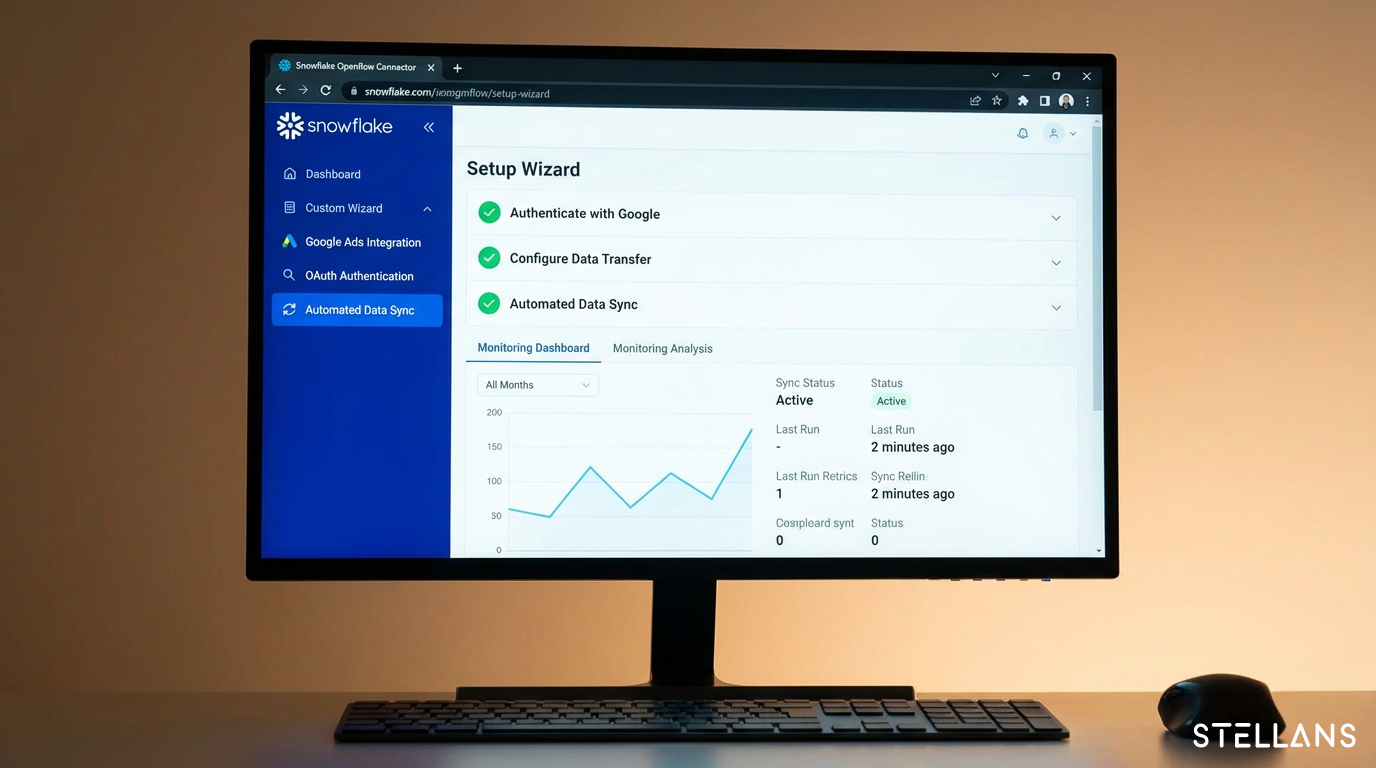
Snowflake OpenFlow Connector for Google Ads

Snowflake’s native connector greatly simplifies integration. According to the Snowflake OpenFlow Connector for Google Ads documentation, you can configure automated data ingestion directly via the Snowflake interface without extra tooling.

The connector manages:

Our Data Integration with Fivetran and Snowflake project details a production-grade data pipeline implementation that scales with growing data volumes.

The Missing Piece: Governance Automation

Managed pipelines move data efficiently, but do not enforce naming standards. Your pipeline will load “SummerSale2025” alongside “2025_summer_promo_google” without validation.

That is why governance automation is crucial. Adding validation rules upstream, either at campaign creation or in transformation, prevents inconsistent data from reaching your warehouse.

At Stellans, our data governance services help teams automate validation that catches naming violations before corrupting attribution reports. The outcome is clean, analysis-ready data from day one.

Implementing Naming Conventions in Tracking Links and Analytics

UTM Parameter Alignment

Campaign naming taxonomy should extend to UTM parameters for full tracking consistency. Map campaign ID structure fields to utm_campaign values:

Campaign ID Field UTM Parameter Example
Full Campaign ID utm_campaign 2025_STELLANS_GOOGLE_SEARCH_LEADGEN_US_Q1_001
Channel utm_medium cpc, display, social
Source utm_source google, meta, linkedin

Matching UTM parameters to your campaign naming convention allows seamless joining of web analytics data with advertising data.

Google Tag Manager Integration

You can enforce naming consistency in tracking using Google Tag Manager (GTM) variables:

  1. Create a lookup table variable that validates campaign names against your taxonomy.
  2. Add a validation trigger that fires only when campaign parameters match your standard.
  3. Configure error logging to identify tracking links with non-compliant naming.

Snowflake Governance Policies

After data lands in Snowflake, add a second layer of control:

Example validation query:

SELECT campaign_name
FROM google_ads_attribution
WHERE campaign_name NOT REGEXP '\\d{4}_[A-Z]+_[A-Z_]+_[A-Z]+_[A-Z]+_.*'

Common Pitfalls and How to Avoid Them

Pitfall Why It Happens Prevention Strategy
Changing names post-launch Optimization attempts after the campaign starts Lock naming conventions before campaign activation
Inconsistent use across channels Lack of centralized documentation Create and distribute a shared taxonomy codebook
Missing taxonomy fields Manual data entry errors Implement automated validation during campaign creation
Schema drift Updates to Google Ads API Monitor API release notes; prefer managed pipelines with automatic schema handling
Duplicate campaign IDs Poor version control Include unique identifiers like timestamps or sequence numbers in every campaign

Typically, governance enforcement begins only after inconsistent data fills the warehouse, requiring costly remediation. The best method is to define your taxonomy before your first campaign export.

Conclusion

Exporting Google Ads attribution data to Snowflake is a technical process, but building trustworthy attribution requires governance beyond technical steps. The difference between successful teams and struggling ones is enforcing naming conventions before data enters the pipeline, not afterward.

Here’s your action plan:

The payoff is substantial. Our clients commonly report a 70% decrease in data cleaning time after standardizing campaign naming, leading to faster insights and better budget allocation.

Ready to transform your marketing data operations? Reach out to our team at Stellans to learn how our data governance and analytics services can build trusted attribution systems for you.

Frequently Asked Questions

How do I automate sending Google Ads data to Snowflake?

Use managed ELT services like Snowflake’s Openflow Connector, Fivetran, or Airbyte for no-code automation. These tools handle authentication, schema mapping, and scheduled syncs without custom coding. For enterprise deployments, start with a managed connector and add governance validation as a transformation layer.

What is the best way to maintain attribution detail when moving ad data to Snowflake?

Export data at the most granular level your analysis requires, usually ad group or keyword level. Apply consistent naming conventions using a standardized taxonomy (Year_Product_Channel_Type_Region_ID) and keep Google’s data-driven attribution fields intact in your Snowflake schema. Avoid pre-export aggregation, as disaggregation is impossible later.

Can Snowflake handle multi-touch attribution models?

Yes. Snowflake’s SQL capabilities support custom multi-touch attribution (MTA) calculations. The key is standardized campaign IDs to enable accurate touchpoint joins across your customer journey data. With proper naming, you can build attribution models crediting campaigns across channels and time.

Why is campaign naming consistency important for marketing ops?

Inconsistent naming causes over 40% of reporting time to go to data cleaning rather than analysis. Standardization enables instant cross-channel analysis, accurate attribution models, and compliance with data governance. It also speeds up the onboarding of new team members and agency partners.

What happens if my historical data has inconsistent naming?

You can either do retroactive cleanup or enforce forward-looking governance. Retroactive cleanup involves mapping old campaign names to your new taxonomy via a translation table. Forward-looking governance applies strict rules for new campaigns while maintaining legacy data as-is. Many teams opt for a hybrid approach, focusing on cleanup on high-value historical campaigns.

Article By:

https://stellans.io/wp-content/uploads/2026/01/1723232006354-1.jpg
Roman Sterjanov

Data Analyst

Related Posts

    Get a Free Data Audit

    * You can attach up to 3 files, each up to 3MB, in doc, docx, pdf, ppt, or pptx format.