Automating dbt Documentation Publishing with GitHub Actions

18 minutes to read
Get free consultation


Picture this: your DBT project is humming along, transforming raw data into clean, business-ready tables. There is a problem, though. The documentation you generated three months ago is sitting in a forgotten corner of your repository, completely out of sync with reality. Stakeholders ask questions about data lineage, and your team spends hours playing detective instead of building value.

Sound familiar? You are not alone. We have seen this scenario play out dozens of times with clients who come to us looking for help with their data infrastructure.

The good news is that automating your dbt documentation to GitHub Pages takes roughly 15 minutes once you know what you are doing. Even better, this is exactly the kind of quick win that fractional data engineers deliver routinely, turning one-off setup tasks into sustained operational excellence.

In this guide, you will learn the four-step process to automate your dbt docs, understand the real costs of DIY versus hiring external help, and discover how to evaluate fractional data engineering providers beyond just their hourly rate.

Why Automate Your dbt Documentation?

The Hidden Cost of Manual Documentation

Data documentation that lives in a dusty corner of your codebase is worse than no documentation at all. It creates false confidence and leads to costly mistakes.

Here is what we see with teams that manage DBT docs manually:

According to the Bureau of Labor Statistics, data scientist employment is projected to grow 34% from 2024 to 2034. That growth means more demand for well-documented, accessible data infrastructure. Organizations that invest in automated documentation now will scale more smoothly.

Business Benefits of Automated dbt Docs

When you automate dbt documentation to GitHub Pages, every merge to your main branch triggers a fresh documentation build. This creates a self-updating source of truth that:

As we often tell our clients, your data infrastructure is like a well-oiled machine. Documentation is the operator’s manual that keeps it running smoothly.

Prerequisites: What You Will Need

Before diving in, gather these essentials:

If you are new to DBT and want to understand project organization best practices, check out our DBT Project Structure Conventions guide.

The 4-Step Guide to Publishing dbt Docs to GitHub Pages

Step 1: Generate Your dbt Documentation Locally

The dbt CLI provides a docs command that generates documentation based on your project’s current state. The key is using the –static flag:


dbt docs generate --static

This command does something powerful. It encodes your entire project’s metadata into a single static_index.html file. No server required. Just one portable HTML file that contains everything stakeholders need.

You will find the output in your project’s target/ directory. The static flag ensures the documentation works as a standalone file, perfect for GitHub Pages hosting.

Terminal output example:

Running with dbt=1.7.0
Found 45 models, 12 tests, 8 sources, 0 exposures, 0 metrics
Catalog generated in 2.34s
Documentation created: target/static_index.html

Step 2: Configure Your GitHub Repository for GitHub Pages

Navigate to your repository’s Settings, then find the Pages section in the left sidebar.

Configure these settings:

Before this works, you need to create the gh-pages branch. Run these commands in your terminal:

git checkout --orphan gh-pages
git rm -rf .
echo "Placeholder" > index.html
git add index.html
git commit -m "Initial gh-pages setup"
git push origin gh-pages
git checkout main

The --orphan flag creates a branch with no commit history, keeping your documentation separate from your code. This is cleaner and follows GitHub Pages conventions.

For detailed configuration options, see the official GitHub Pages documentation.

Step 3: Create the GitHub Actions Workflow

Create a new file at .github/workflows/deploy-dbt-docs.yml:

name: Deploy dbt Docs

on:
  push:
    branches:
      - main

jobs:
  deploy-docs:
    runs-on: ubuntu-latest
    
    steps:
      - name: Checkout repository
        uses: actions/checkout@v4

      - name: Set up Python
        uses: actions/setup-python@v5
        with:
          python-version: '3.11'

      - name: Install dbt
        run: pip install dbt-core dbt-snowflake  # Replace with your adapter

      - name: Generate dbt docs
        run: |
          dbt docs generate --static
          mkdir -p docs-output
          mv target/static_index.html docs-output/index.html
        env:
          DBT_PROFILES_DIR: ${{ github.workspace }}
          # Add your warehouse credentials as secrets
          SNOWFLAKE_ACCOUNT: ${{ secrets.SNOWFLAKE_ACCOUNT }}
          SNOWFLAKE_USER: ${{ secrets.SNOWFLAKE_USER }}
          SNOWFLAKE_PASSWORD: ${{ secrets.SNOWFLAKE_PASSWORD }}

      - name: Deploy to GitHub Pages
        uses: JamesIves/github-pages-deploy-action@v4
        with:
          branch: gh-pages
          folder: docs-output

Key configuration notes:

For more details on the dbt docs command, refer to the official dbt docs command reference.

Step 4: Commit, Push, and Verify Your Live Docs

Push your workflow to the main branch:

git add .github/workflows/deploy-dbt-docs.yml
git commit -m "Add automated dbt docs deployment"
git push origin main

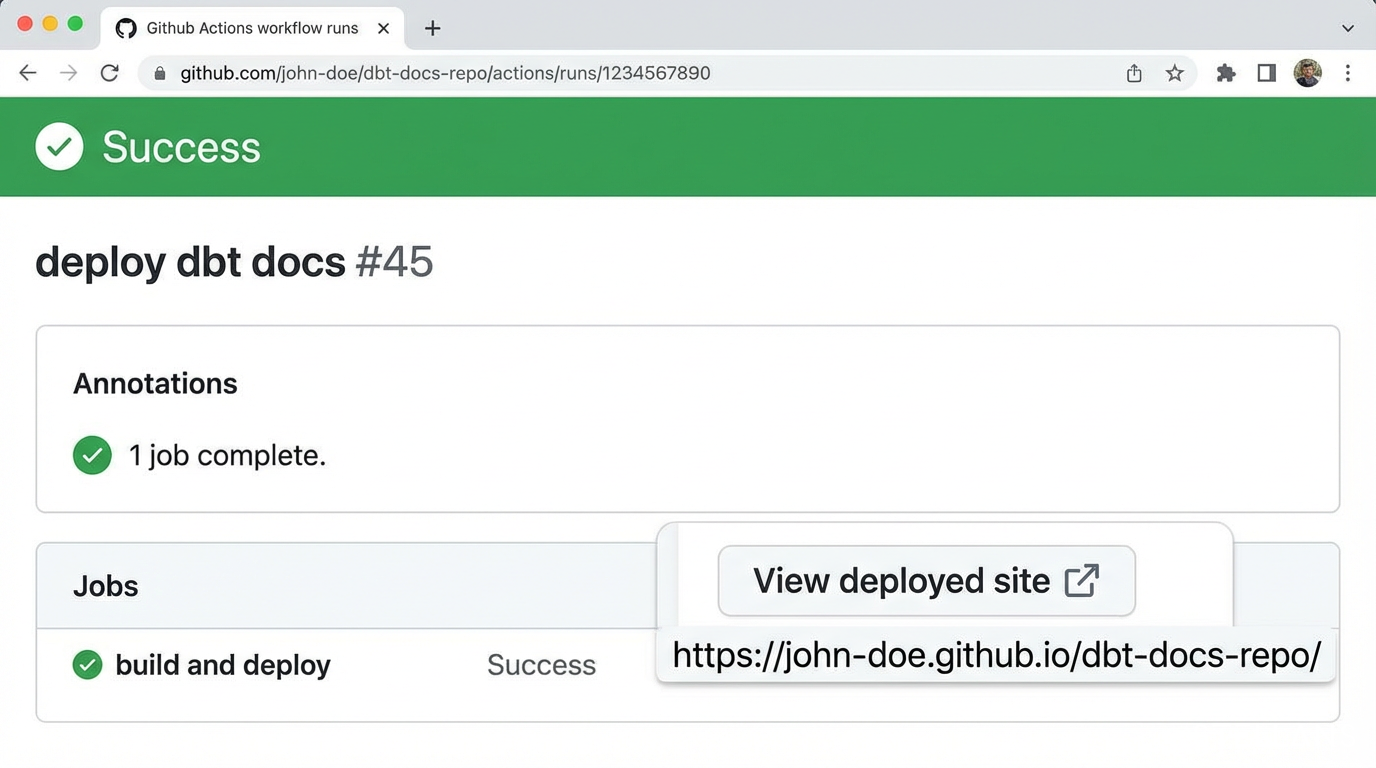
After a minute or two, your documentation will be live at:

https://<your-username>.github.io/<your-repo>/

Troubleshooting tips:

Best Practices for dbt Docs Hosting

Security Considerations

Here is an important caveat. GitHub Pages are public by default, even for private repositories. Unless you use GitHub Enterprise Cloud, anyone with the URL can access your documentation.

For sensitive projects, consider these alternatives:

We regularly help clients navigate these security trade-offs. The right choice depends on your data sensitivity and compliance requirements.

Custom Domains

Want your docs at docs.yourcompany.com instead of the default GitHub URL? Add a CNAME file to your gh-pages branch:

echo "docs.yourcompany.com" > CNAME

Then configure DNS with your domain provider to point to GitHub’s servers.

Handling Multiple Environments

For teams with dev, staging, and production environments, consider separate branches or repositories for each environment’s documentation. This prevents confusion about which version stakeholders are viewing.

What This Automation Costs: DIY vs. Hiring a Fractional Data Engineer

2025 Fractional Data Engineer Rate Benchmarks

Understanding market rates helps you budget effectively and avoid overpaying or under-resourcing. Here are the 2025 benchmarks we have compiled from our client engagements and industry research:

Region Hourly Rate (USD) Monthly Retainer (20-30 hrs/wk)
US / Canada $80 – $140/hr $6,400 – $16,800/mo
UK / Western EU €60 – €100/hr €4,800 – €12,000/mo
Eastern Europe $40 – $70/hr $3,200 – $8,400/mo
APAC (India) $8 – $35/hr $640 – $4,200/mo
Latin America $18 – $38/hr $1,440 – $4,560/mo

Sources: BLS Occupational Outlook, industry surveys, Stellans client benchmarks

Factors That Affect Fractional Data Engineer Rates

Several variables influence what you will pay:

Experience level: Senior DBT specialists with 7+ years of experience and complex project portfolios command a 40-60% premium over mid-level engineers. A senior fractional data engineer in the US typically bills $120-$140/hr, while mid-level rates hover around $80-$100/hr.

Region: US-based engineers are the most expensive but offer timezone alignment and often deeper experience with enterprise tooling. Offshore options provide cost savings but may introduce communication overhead or require more management.

Scope of work: One-time setup projects (like this dbt docs automation) cost less than ongoing pipeline management retainers. Expect to pay a premium for complex, multi-environment implementations.

Certifications and specializations: Google Cloud Professional Data Engineer, AWS Data Analytics Specialty, or deep dbt expertise add value and command higher rates.

Engagement model: Monthly retainers typically offer better hourly economics than ad-hoc project work, especially for ongoing needs.

When to DIY vs. When to Hire

DIY makes sense if:

Hire a fractional data engineer if:

Here is the math. At $100/hr, a fractional data engineer sets up this automation in under an hour, costing you less than $100. The same engineer can then tackle backlogged data projects that have been sitting for months. Compare that to the opportunity cost of pulling your internal team away from revenue-generating work.

For a deeper look at how we approach end-to-end data automation, explore our DataOps in Action case study.

How to Evaluate Fractional Data Engineering Providers

Beyond the Hourly Rate: A Practical Checklist

When comparing fractional data engineering options, rate is just one factor. Here is what else to evaluate:

Red Flags to Avoid

Watch out for these warning signs:

How Stellans Delivers DBT Automation for Data Teams

At Stellans, we do not just set up automation and walk away. We embed with your team to build lasting capability.

Here is what working with us looks like:

The DBT docs automation in this guide is a small example of what a fractional data engineering relationship delivers. The bigger wins come from systematically removing friction across your entire data pipeline.

Ready to automate your data documentation and free your team for higher-value work? Schedule a free consultation with Stellans to discuss your needs.

Conclusion

Automating dbt docs to GitHub Pages is a 15-minute win that compounds over time. Every merge to main triggers fresh documentation, eliminating manual overhead and ensuring stakeholders always have access to current information.

Here is the bigger picture: this automation is just one example of the operational improvements that fractional data engineers deliver routinely. When you combine technical expertise with agile-for-data practices, you transform scattered manual processes into a well-oiled data machine.

Whether you implement this guide yourself or bring in expert help, the goal is the same: freeing your data team to focus on work that moves the business forward.

Ready to build a data team that runs like clockwork? Get started with Stellans and discover what a fractional partnership can do for your organization.

Frequently Asked Questions

Q: How long does it really take to automate dbt docs to GitHub Pages?

A: With prerequisites in place, the basic workflow takes about 15 minutes to configure. Add 30-60 minutes for security hardening, custom domains, or multi-environment setups. Most teams can complete the full implementation in under two hours.

Q: What are typical fractional data engineer rates in 2025?

A: Rates vary significantly by region and experience. US/Canada fractional data engineers charge $80-$140/hr. Western Europe rates run €60-€100/hr. Offshore options in APAC and Latin America range from $8-$38/hr, depending on seniority and specialization.

Q: Can GitHub Pages host private dbt documentation?

A: Only with GitHub Enterprise Cloud, which allows visibility controls on Pages sites. For private documentation without Enterprise, consider Netlify with password protection or AWS S3 with IAM policies. We help clients choose the right approach based on their security requirements.

Q: How do fractional data engineers compare to full-time hires?

A: Fractional models offer flexibility without long-term headcount risk. You get experienced talent immediately, without months of recruiting and onboarding. Combined with agile processes, fractional engagements often deliver faster ROI than traditional full-time hires, especially for specific technical initiatives.

Q: What if my dbt project uses dbt Cloud instead of dbt Core?

A: dbt Cloud includes hosted documentation through the Explorer feature. However, GitHub Pages automation is still valuable for teams that want to share docs with stakeholders who do not have dbt Cloud seats, or who prefer version-controlled documentation alongside their code.

Article By:

Mikalai Mikhnikau

VP of Analytics

Related Posts

    Get a Free Data Audit

    * You can attach up to 3 files, each up to 3MB, in doc, docx, pdf, ppt, or pptx format.