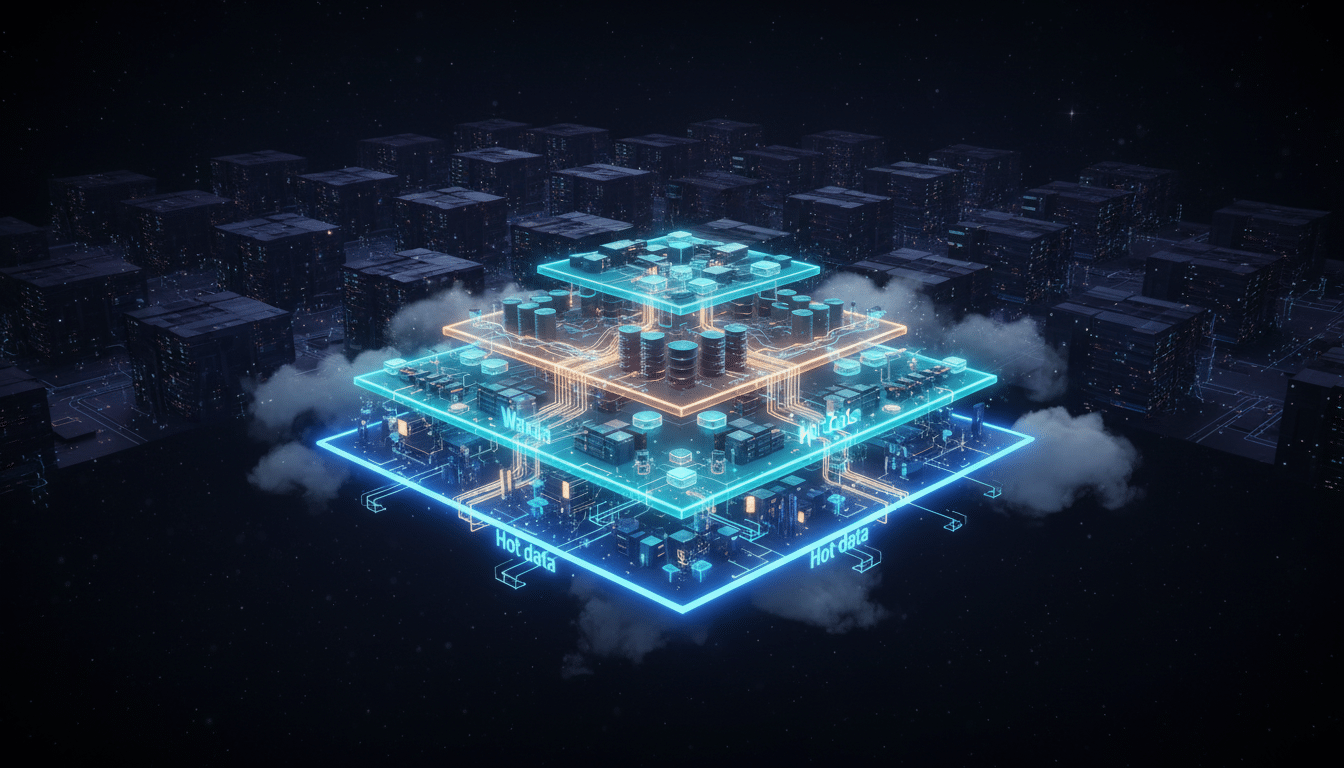
Optimizing Snowflake Time Travel Retention for Cost and Security

22 minutes to read
Get free consultation

Your analysts need freedom to experiment with data. But without the right guardrails, that freedom can spiral into runaway storage costs, governance gaps, and security risks. Snowflake Time Travel is a powerful feature for recovering and versioning data, yet it often becomes an unexpected cost driver in sandbox environments where high-churn experiments multiply storage overhead.

Here is the challenge: reducing Time Travel retention from 90 to 7 days can yield 15-25% storage savings. But cutting retention too aggressively in the wrong places can leave you exposed when disaster strikes. The key lies in building a secure data sandbox architecture that balances cost optimization with robust governance.

In this guide, we walk through how to configure Snowflake retention policies within isolated sandbox environments. You will learn how to leverage transient tables, implement Role-Based Access Control (RBAC), use masked or synthetic data, and safely promote validated work to production. This is the approach we use with our clients to help teams report 40%+ cost reductions while maintaining secure analyst access.


What Is Snowflake Time Travel and Why Does It Cost So Much?

Before optimizing retention policies, you need to understand what you are paying for. Snowflake Time Travel is not just a convenience feature. It is a storage commitment that accrues costs based on data change velocity and retention duration.

How Time Travel Works

Snowflake Time Travel enables you to access historical data at any point within a defined retention period. According to Snowflake Time Travel documentation, this includes:

The retention period ranges from 1 day (Standard Edition) to 90 days (Enterprise Edition). Every change to your data creates a new version that Snowflake preserves for the configured retention window. This versioning is powerful for recovery and auditing, but it means storage consumption compounds with every INSERT, UPDATE, DELETE, or MERGE operation.

The Hidden Cost Multiplier: Fail-Safe

Beyond Time Travel, Snowflake maintains a mandatory 7-day Fail-safe period for permanent tables. Fail-safe is a non-configurable disaster recovery layer that kicks in after Time Travel expires. This adds approximately 7-10% additional storage overhead that you cannot avoid with permanent tables.

The cost formula becomes: Active Storage + Time Travel Storage + Fail-Safe Storage

For high-churn sandbox workloads, this triple-layer storage model can inflate costs dramatically.

Why Sandboxes Are Cost Magnets

Analytics sandboxes are where analysts experiment, iterate, and explore data freely. This freedom translates into:

When you leave 90-day retention enabled on sandbox tables that only exist for a week, you are paying for historical versions of data nobody will ever query again. This is the cost leak we help clients plug through strategic retention policy configuration.

Building a Secure Data Sandbox Architecture

A well-designed sandbox environment isolates experimental workloads from production while enforcing security policies that prevent data breaches. The goal is to give analysts the access they need without exposing sensitive production data or corrupting live systems.

Sandbox Isolation and Segmentation Principles

The foundation of a secure data sandbox architecture is complete separation from production environments. This means:

Database and Schema Separation: Create dedicated databases or schemas for sandbox workloads. Never allow analysts to write directly to production schemas.

Warehouse Isolation: Assign dedicated virtual warehouses for sandbox queries. This prevents sandbox experiments from consuming production compute resources and provides clear cost attribution.

Data Flow Controls: Establish a one-way data pipeline from production to sandbox. Production data flows into the sandbox through controlled transformation processes, never the reverse.

Sandbox Architecture Diagram

┌─────────────────────────────────────────────────────────────────────────┐
│                         PRODUCTION ZONE                                  │
│  ┌──────────────────────────────────────────────────────────────────┐  │
│  │  PRODUCTION DATABASE                                              │  │
│  │  ├── Customer Tables (PII)                                        │  │
│  │  ├── Transaction Tables                                           │  │
│  │  └── Analytics Tables                                             │  │
│  └──────────────────────────────────────────────────────────────────┘  │
└─────────────────────────────────────────────────────────────────────────┘
                                    │
                                    ▼
┌─────────────────────────────────────────────────────────────────────────┐
│                     DATA TRANSFORMATION PIPELINE                         │
│  ┌─────────────────┐    ┌─────────────────┐    ┌─────────────────────┐ │
│  │ Dynamic Masking │ -> │ Synthetic Data  │ -> │ Schema Validation   │ │
│  │ (PII Columns)   │    │ Generation      │    │ & Quality Checks    │ │
│  └─────────────────┘    └─────────────────┘    └─────────────────────┘ │
└─────────────────────────────────────────────────────────────────────────┘
                                    │
                                    ▼
┌─────────────────────────────────────────────────────────────────────────┐
│                          SANDBOX ZONE                                    │
│  ┌──────────────────────────────────────────────────────────────────┐  │
│  │  SANDBOX DATABASE (DATA_RETENTION_TIME_IN_DAYS = 1)               │  │
│  │  ├── Transient Tables (Experiments)                               │  │
│  │  ├── Masked Customer Data                                         │  │
│  │  └── Synthetic Transaction Data                                   │  │
│  │                                                                    │  │
│  │  RBAC: SANDBOX_ANALYST_ROLE (Read/Write Sandbox Only)            │  │
│  └──────────────────────────────────────────────────────────────────┘  │
└─────────────────────────────────────────────────────────────────────────┘
                                    │
                                    ▼
┌─────────────────────────────────────────────────────────────────────────┐
│                        PROMOTION GATE                                    │
│  ┌─────────────────┐    ┌─────────────────┐    ┌─────────────────────┐ │
│  │ Code Review     │ -> │ Validation      │ -> │ Zero Copy Clone     │ │
│  │ & Approval      │    │ Testing         │    │ to Production       │ │
│  └─────────────────┘    └─────────────────┘    └─────────────────────┘ │
└─────────────────────────────────────────────────────────────────────────┘

This architecture ensures that even if an analyst makes a mistake in the sandbox, production data remains untouched. The promotion gate provides a controlled pathway for moving validated work into production using Zero Copy Cloning.

Access Control Strategies: RBAC Implementation

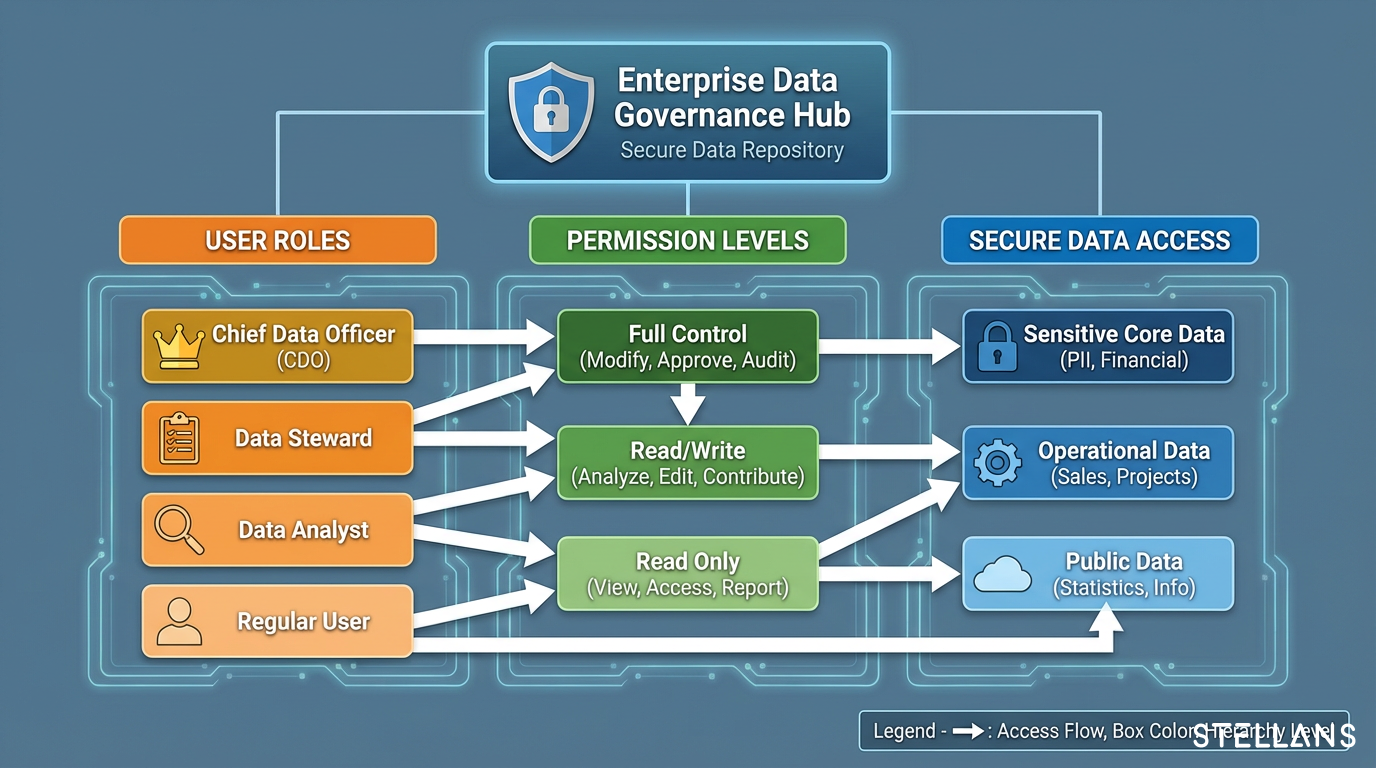
Role-Based Access Control is your primary mechanism for enforcing the principle of least privilege. For sandbox environments, we recommend creating dedicated roles that constrain analyst permissions:

-- Create sandbox-specific role
CREATE ROLE SANDBOX_ANALYST_ROLE;

-- Grant usage on the sandbox database and schema
GRANT USAGE ON DATABASE sandbox_db TO ROLE SANDBOX_ANALYST_ROLE;
GRANT USAGE ON SCHEMA sandbox_db.analytics TO ROLE SANDBOX_ANALYST_ROLE;

-- Grant read/write on sandbox schema
GRANT SELECT, INSERT, UPDATE, DELETE ON ALL TABLES 
  IN SCHEMA sandbox_db.analytics TO ROLE SANDBOX_ANALYST_ROLE;

-- Apply for future grants for new objects
GRANT SELECT, INSERT, UPDATE, DELETE ON FUTURE TABLES 
  IN SCHEMA sandbox_db.analytics TO ROLE SANDBOX_ANALYST_ROLE;

-- Explicitly deny access to production
-- (by not granting any permissions on production schemas)

The key here is that SANDBOX_ANALYST_ROLE has no permissions on production schemas. Analysts can create, modify, and delete objects freely within their sandbox without any risk to production data integrity.

Masked and Synthetic Data for Security and Compliance

Providing real production data to sandboxes creates compliance and security risks. Instead, use masked or synthetic data to give analysts representative datasets for experimentation.

Dynamic Data Masking: Apply masking policies to PII columns so that even if production data flows into sandboxes, sensitive information is automatically obscured:

-- Create masking policy for email addresses
CREATE MASKING POLICY email_mask AS (val STRING) 
  RETURNS STRING ->
  CASE 
    WHEN CURRENT_ROLE() IN ('DATA_ENGINEER', 'ADMIN') THEN val
    ELSE CONCAT(LEFT(val, 2), '****@', SPLIT_PART(val, '@', 2))
  END;

-- Apply to table column
ALTER TABLE sandbox_db.analytics.customers 
  MODIFY COLUMN email SET MASKING POLICY email_mask;

Synthetic Data Generation: For ML experimentation or testing scenarios requiring realistic distributions, generate synthetic data that mirrors production patterns without containing real customer information.

NIST defines a sandbox as “a restricted, controlled execution environment that prevents potentially malicious software from accessing any system resources except those for which the software is authorized” (NIST CSRC Glossary). This same principle applies to data access: analysts should only access the data they need, in the form they are authorized to see it.

Configuring Retention Policies to Control Costs

With your secure data sandbox architecture in place, you can now optimize retention settings to eliminate unnecessary storage costs.

Setting DATA_RETENTION_TIME_IN_DAYS for Sandboxes

The DATA_RETENTION_TIME_IN_DAYS The parameter controls how long Snowflake retains historical data for Time Travel. For sandbox environments, we recommend setting this to the minimum period that still supports operational needs:

-- Set 1-day retention at the schema level
ALTER SCHEMA sandbox_db.analytics SET DATA_RETENTION_TIME_IN_DAYS = 1;

-- Or set at the database level for broader coverage
ALTER DATABASE sandbox_db SET DATA_RETENTION_TIME_IN_DAYS = 1;

This setting is inherited down the hierarchy: account → database → schema → table. Child objects inherit parent settings unless explicitly overridden.

For most sandbox use cases, 1-day retention provides enough runway to recover from accidental deletions while minimizing storage costs.

Using Transient Tables to Eliminate Fail-Safe Costs

Transient tables are the cost optimization powerhouse for analytics sandbox best practices. Unlike permanent tables, transient and temporary tables have two critical characteristics:

This eliminates the 7-day Fail-safe storage overhead entirely. For high-churn sandbox data that does not require disaster recovery protection, transient tables deliver significant savings:

-- Create transient table for sandbox experiments
CREATE TRANSIENT TABLE sandbox_db.analytics.experiment_results (
  experiment_id VARCHAR,
  run_timestamp TIMESTAMP_NTZ,
  metric_name VARCHAR,
  metric_value NUMBER(18,4),
  parameters VARIANT
);

Any table created with the TRANSIENT The keyword will only incur active storage and up to 1 day of Time Travel storage. When analysts create and drop dozens of experimental tables per week, the Fail-safe savings compound quickly.

Retention Policy Decision Matrix

Table Type Time Travel Fail-Safe Best Use Case Cost Impact
Permanent 1-90 days 7 days (mandatory) Production data, audit requirements Highest
Transient 0-1 day None Sandbox experiments, staging, ETL temp data Lower
Temporary 0-1 day None Session-specific analysis, intermediate results Lowest (auto-drops)

Use this matrix to guide table type selection. In sandbox environments, default to transient tables unless you have specific regulatory requirements mandating longer retention.

Cost Monitoring and Alerting Best Practices

Visibility into storage consumption is essential for ongoing cost control. Query the ACCOUNT_USAGE.TABLE_STORAGE_METRICS view to understand where your Time Travel and Fail-safe bytes are accumulating:

-- Monitor sandbox storage metrics
SELECT 
  table_catalog AS database_name,
  table_schema AS schema_name,
  table_name,
  ROUND(active_bytes / (1024*1024*1024), 2) AS active_gb,
  ROUND(time_travel_bytes / (1024*1024*1024), 2) AS time_travel_gb,
  ROUND(failsafe_bytes / (1024*1024*1024), 2) AS failsafe_gb,
  ROUND((active_bytes + time_travel_bytes + failsafe_bytes) / (1024*1024*1024), 2) AS total_gb
FROM snowflake.account_usage.table_storage_metrics
WHERE table_catalog = 'SANDBOX_DB'
  AND deleted IS NULL
ORDER BY total_gb DESC
LIMIT 20;

Set up alerts when sandbox storage exceeds defined thresholds. This proactive monitoring prevents cost surprises and identifies tables that may benefit from shorter retention or transient conversion.

For guidance on implementing cost alerting, see our guide on setting up Snowflake cost alerts.

Safe Promotion from Sandbox to Production

A secure sandbox is only valuable if you can efficiently move validated work into production. The promotion workflow must preserve data integrity while avoiding unnecessary duplication costs.

Zero Copy Cloning for Risk-Free Migration

Snowflake’s Zero Copy Cloning creates instant, storage-efficient copies of tables, schemas, or databases. When you clone a sandbox table to production, Snowflake does not duplicate the underlying data. Instead, it creates metadata pointers to the existing micro-partitions.

-- Clone validated sandbox table to production
CREATE TABLE production_db.analytics.validated_model 
  CLONE sandbox_db.analytics.experiment_results;

The clone inherits the data state at the moment of cloning but operates independently thereafter. Changes to the clone do not affect the source, and vice versa. This makes Zero Copy Cloning ideal for:

Important note: The clone inherits the current retention settings of the target schema, not the source. A transient sandbox table cloned to a permanent production schema becomes a permanent table with full Fail-safe protection.

CI/CD Integration for Automated Sandbox Lifecycles

Manual sandbox management does not scale. Implement Infrastructure as Code (IaC) patterns to automate the sandbox lifecycle:

Provisioning: Use Terraform or Snowflake’s native scripting to spin up isolated sandbox environments with pre-configured retention policies and RBAC.

Teardown: Automatically drop sandbox databases or schemas after experiments conclude. This prevents orphaned tables from accumulating Time Travel costs indefinitely.

Version Control: Store schema definitions in Git repositories. Track changes to sandbox configurations alongside code changes for full auditability.

Our DataOps implementation projects demonstrate how we integrate these automation patterns into client environments for scalable, governed sandbox operations.

Monitoring Sandbox Usage and Anomaly Detection

Beyond storage costs, monitor query patterns to detect anomalous behavior. Unexpected data access patterns in sandboxes may indicate:

Query QUERY_HISTORY and ACCESS_HISTORY views to build audit trails and flag deviations from normal usage baselines.

Compliance Considerations: GDPR, SEC, and Data Retention

Retention policy decisions are not purely about cost optimization. Regulatory requirements influence how long you must retain data and how quickly you must be able to purge it.

Data Minimization and Retention Justification

GDPR and CCPA mandate data minimization principles. Holding historical data beyond legitimate business purposes creates compliance risk. Short retention periods in sandboxes directly support these requirements by:

Document your retention policy decisions with clear business justifications. When auditors ask why sandbox Time Travel is set to 1 day while production is 30 days, you need defensible reasoning.

SEC Cybersecurity Rules and Audit Trails

2025 SEC cybersecurity rules emphasize cost-transparent data recovery controls and documented incident response capabilities. Your Time Travel configuration becomes part of your recovery posture.

Maintain audit trails using Snowflake’s QUERY_HISTORY and ACCESS_HISTORY views. These records demonstrate who accessed what data, when, and what recovery capabilities were available at each point in time.

Putting It All Together: The Stellans Approach

Building a secure, cost-optimized analytics sandbox requires expertise across architecture, governance, and platform engineering. At Stellans, we work with data platform architects and security leads to design sandbox environments that balance analyst freedom with enterprise controls.

How We Implement Secure Analytics Sandboxes

Our approach covers the complete lifecycle:

In our work with clients, we have seen sandbox storage costs drop 40%+ after implementing retention policies with transient tables. More importantly, these cost savings come alongside improved governance posture and reduced compliance risk.

Explore our services to learn how we can help you build a secure analytics sandbox tailored to your organization’s needs.

Conclusions

Frequently Asked Questions

How do I reduce Snowflake Time Travel costs in sandboxes?

Configure short retention periods using ALTER SCHEMA sandbox_schema SET DATA_RETENTION_TIME_IN_DAYS = 1; and use transient tables for experimental data. Transient tables support only 0-1 day Time Travel and have no Fail-safe period, eliminating the 7-day Fail-safe storage overhead that permanent tables incur. This combination can yield 15-25% storage savings in typical sandbox environments.

What is the difference between transient and permanent tables in Snowflake?

Permanent tables support Time Travel up to 90 days (Enterprise Edition), plus a mandatory 7-day Fail-safe period. Transient tables support only 0-1 day Time Travel and have no fail-safes, making them ideal for high-churn sandbox data where cost control is prioritized over disaster recovery. Temporary tables have similar storage characteristics to transient tables, but automatically drop when the session ends.

How do I safely promote sandbox work to production in Snowflake?

Use Zero Copy Cloning to create instant, storage-efficient copies of validated sandbox objects: CREATE TABLE prod_table CLONE sandbox_table; This creates metadata pointers rather than duplicating data, enabling fast promotion without additional storage costs. The clone operates independently from the source and inherits the retention settings of the target location.

Can I have different retention policies for different tables in the same schema?

Yes. While DATA_RETENTION_TIME_IN_DAYS Inherits from parent objects, you can override it at any level of the hierarchy. Set a short retention period at the schema level for general sandbox tables, then explicitly configure longer retention for specific tables that require extended historical access for compliance or audit purposes.

How do masked data and retention policies work together in sandboxes?

Masking policies and retention policies serve different purposes but complement each other. Masking policies control data visibility at query time, ensuring analysts see obscured PII even when accessing production-sourced data. Retention policies control how long historical versions of that data persist. Together, they create a defense-in-depth approach: minimal sensitive data exposure through masking, and minimal historical data retention through short Time Travel windows.


Ready to build a secure, cost-optimized analytics sandbox? Talk to Stellans to design your retention-governed environment.

References

Article By:

https://stellans.io/wp-content/uploads/2026/01/1565080602204-1.jpeg
Zhenya Matus

Fractional CDO

Related Posts

    Get a Free Data Audit

    * You can attach up to 3 files, each up to 3MB, in doc, docx, pdf, ppt, or pptx format.