Ad Spend Pacing SQL in Snowflake: Step-by-Step Guide

12 minutes to read
Get free consultation


Managing ad budgets is a constant balancing act. Spend too fast, and you burn through your budget before the month ends. Spend too slowly, and you miss opportunities to reach your audience when it matters most.

For marketing analysts at agencies managing multiple client budgets, this challenge multiplies. Manual spreadsheet pacing wastes hours every week and introduces errors that can cost thousands. According to Dentsu’s Global Ad Spend Forecasts, worldwide ad spend will grow by 4.9% in 2025 to reach $992 billion, making precise budget management more critical than ever.

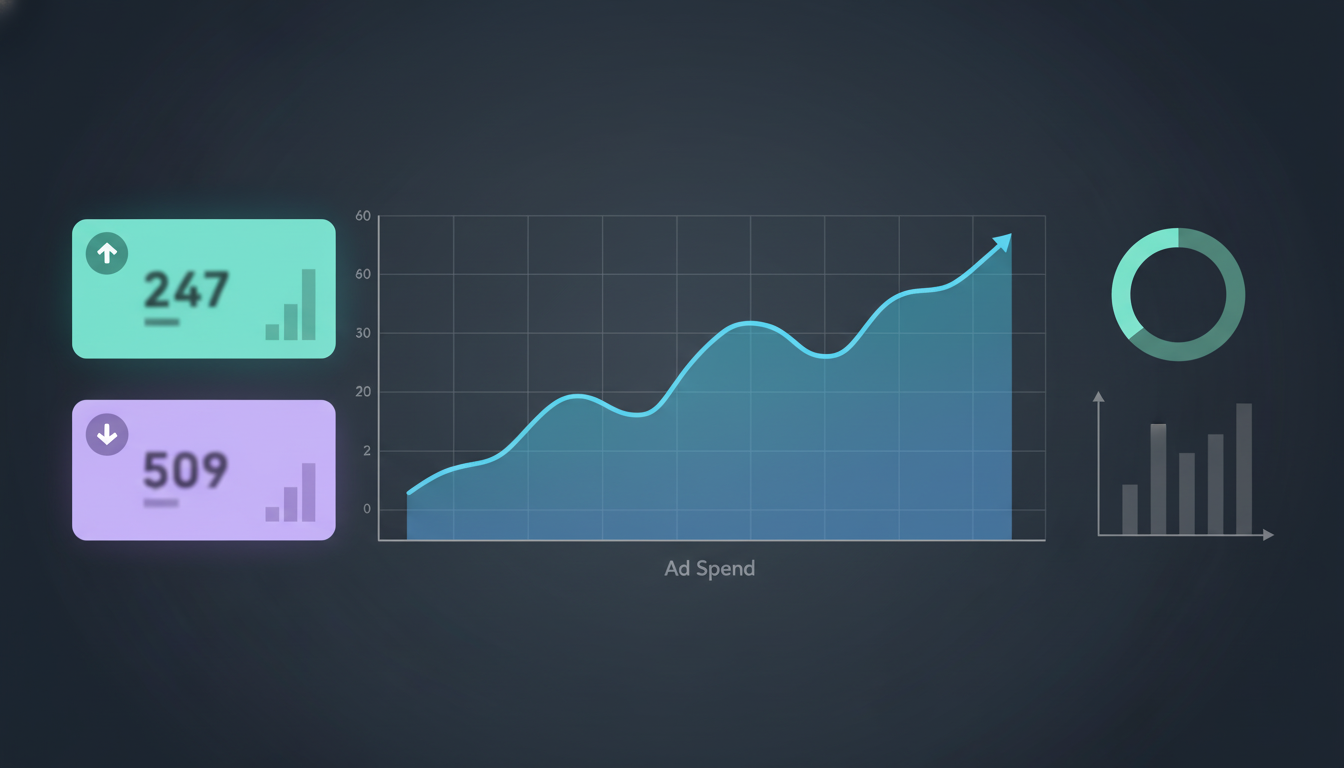
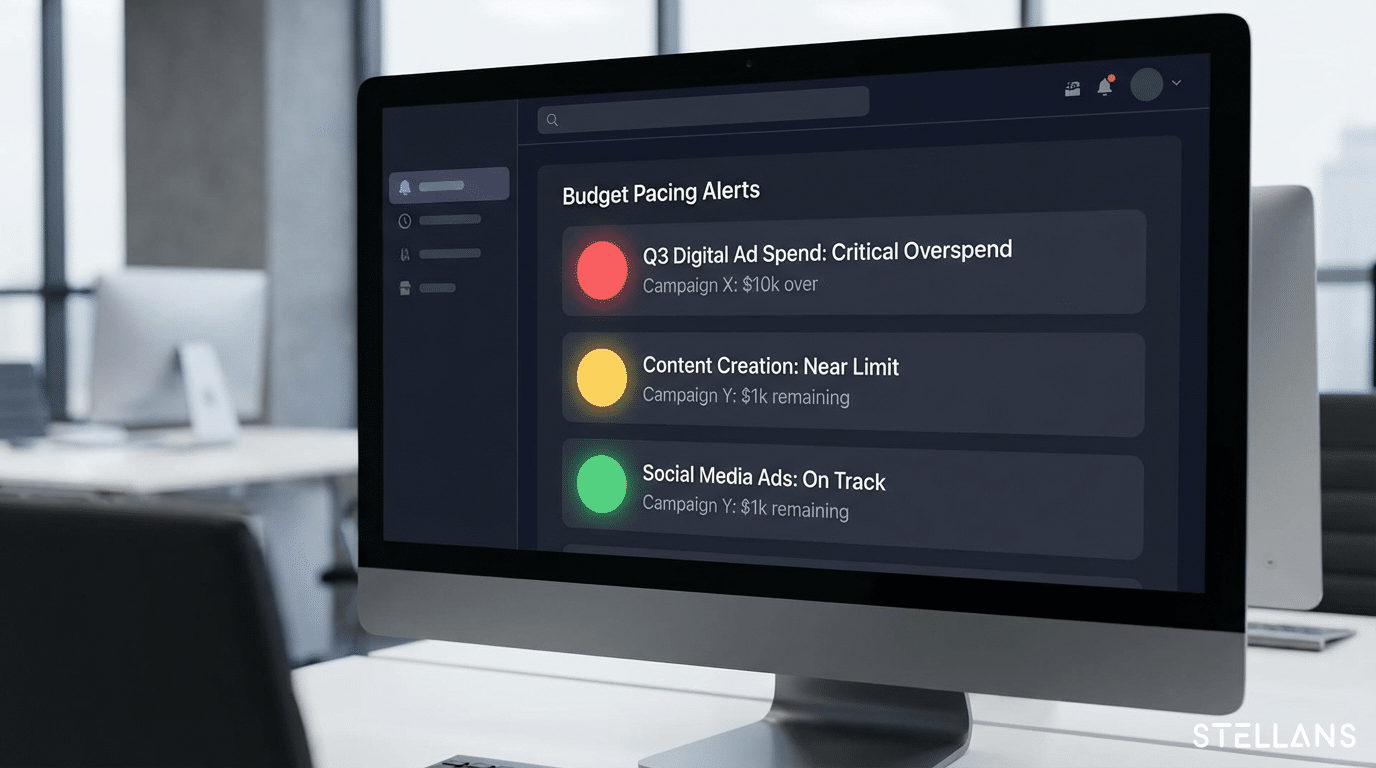
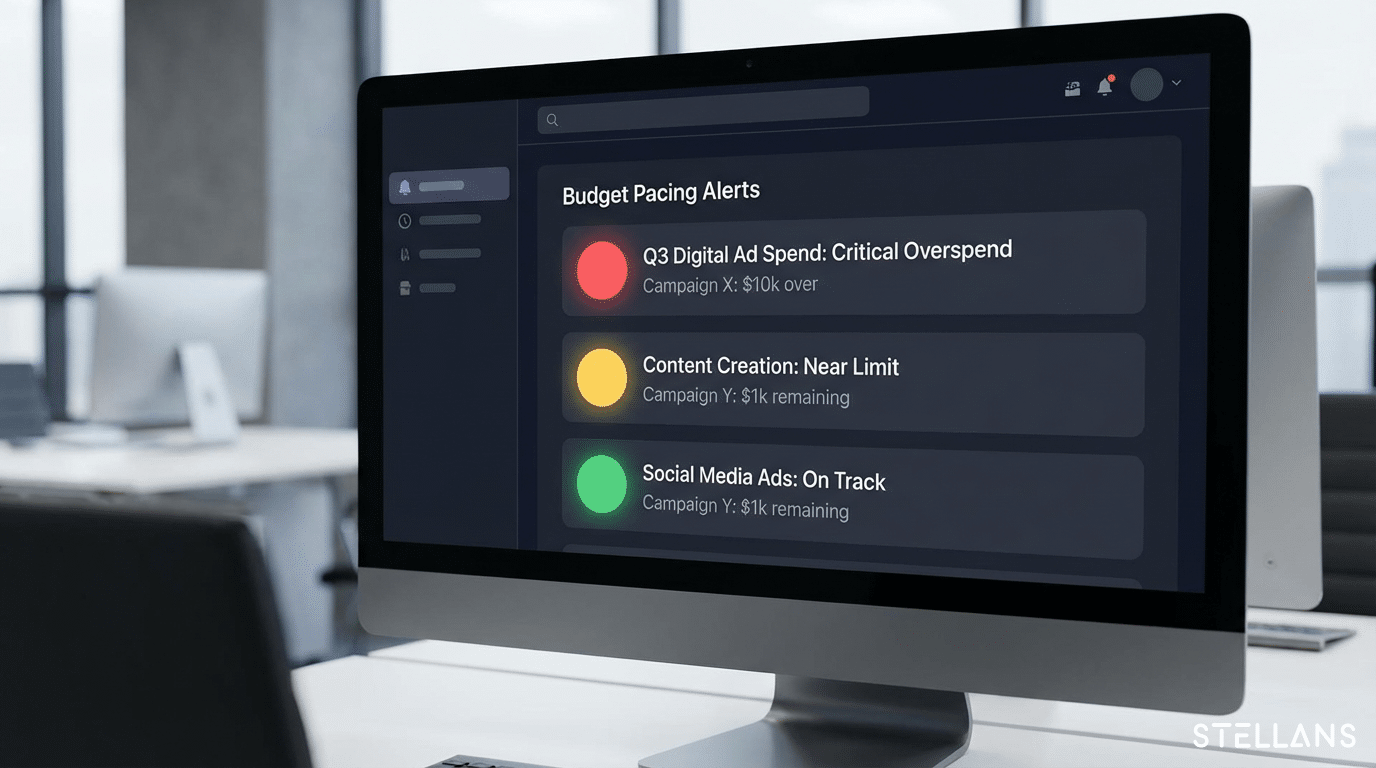
The solution? Automate your pacing forecasts in Snowflake using SQL. This guide walks you through building a complete ad spend pacing system that calculates month-to-date spend versus budget, projects end-of-month totals based on run rate, and alerts you when campaigns drift off track.


Why Forecast Ad Spend in Snowflake?

Before diving into code, let us address why Snowflake is the right platform for marketing budget forecasting.

Centralized Source of Truth

When your ad spend data lives in Google Ads, Facebook Ads, LinkedIn, and other platforms separately, you are constantly switching between dashboards. Snowflake eliminates data silos by pulling all your marketing spend into one unified warehouse. Whether you use Fivetran for data integration or another ETL tool, the result is a single place for budget tracking.

Scalability and Speed

Snowflake handles growing data volumes without performance degradation. As your agency adds more clients or channels, your pacing queries remain fast. Near real-time visibility means you catch budget issues before they become problems.

Enhanced Collaboration and Automation

SQL logic in Snowflake is version-controlled and shareable. Your team can review, update, and deploy pacing queries together. Automated scheduling pushes results directly to BI dashboards, removing the need for manual data pulls.

At Stellans, we have helped agencies reduce manual pacing calculations by 80% using this approach. The foundation starts with clean, unified data.

Step 1: Preparing Your Ad Spend Data

Every pacing forecast begins with reliable input. Your Snowflake tables need a consistent structure before calculations make sense.

Creating a Unified View

Start by building a view that combines spend data from all your advertising platforms. The essential columns are:

Here is the SQL to create your unified view:

CREATE OR REPLACE VIEW unified_ad_spend AS
SELECT 
    report_date,
    'Google Ads' AS platform,
    campaign_name,
    spend
FROM google_ads_spend

UNION ALL

SELECT 
    report_date,
    'Facebook Ads' AS platform,
    campaign_name,
    spend
FROM facebook_ads_spend

UNION ALL

SELECT 
    report_date,
    'LinkedIn Ads' AS platform,
    campaign_name,
    spend
FROM linkedin_ads_spend;

Data Quality Considerations

Before moving forward, address common data issues:

When working with clients managing six-figure monthly ad budgets, these data hygiene steps prevent costly forecasting mistakes.

Step 2: Building the Pacing Forecast with SQL

Now for the core logic. We will calculate three key metrics: month-to-date spend versus budget, pacing percentage, and end-of-month projection.

Calculating Month-to-Date Spend vs. Budget

The pacing percentage formula tells you whether you are on track:

Pacing % = (% Budget Spent) / (% Time Elapsed) x 100

A pacing percentage of 100% means you are spending exactly on pace. Above 100% indicates overspending; below 100% signals underspending.

Here is the complete SQL query using Common Table Expressions (CTEs):

WITH budget_data AS (
    SELECT
        campaign_name,
        monthly_budget,
        DATE_TRUNC('month', CURRENT_DATE()) AS month_start,
        LAST_DAY(CURRENT_DATE()) AS month_end
    FROM campaign_budgets
),

daily_spend AS (
    SELECT
        campaign_name,
        SUM(spend) AS mtd_spend,
        COUNT(DISTINCT report_date) AS days_with_spend,
        AVG(spend) AS avg_daily_spend
    FROM unified_ad_spend
    WHERE report_date >= DATE_TRUNC('month', CURRENT_DATE())
      AND report_date <= CURRENT_DATE()
    GROUP BY campaign_name
),

pacing_calc AS (
    SELECT
        b.campaign_name,
        b.monthly_budget,
        COALESCE(d.mtd_spend, 0) AS mtd_spend,
        DATEDIFF('day', b.month_start, CURRENT_DATE()) + 1 AS days_elapsed,
        DATEDIFF('day', b.month_start, b.month_end) + 1 AS total_days,
        COALESCE(d.avg_daily_spend, 0) AS avg_daily_spend
    FROM budget_data b
    LEFT JOIN daily_spend d ON b.campaign_name = d.campaign_name
)

SELECT
    campaign_name,
    monthly_budget,
    mtd_spend,
    ROUND((mtd_spend / monthly_budget) * 100, 1) AS pct_budget_spent,
    ROUND((days_elapsed::FLOAT / total_days) * 100, 1) AS pct_time_elapsed,
    ROUND(((mtd_spend / monthly_budget) / (days_elapsed::FLOAT / total_days)) * 100, 1) AS pacing_percentage
FROM pacing_calc;

Projecting End-of-Month Spend Based on Run Rate

To forecast where you will land by month end, apply this logic:

EOM Projection = Actual Spend + (Avg Daily Spend x Days Remaining)

Extend the previous query with the projection calculation:

SELECT
    campaign_name,
    monthly_budget,
    mtd_spend,
    pacing_percentage,
    ROUND(mtd_spend + (avg_daily_spend * (total_days - days_elapsed)), 2) AS eom_projection,
    ROUND(mtd_spend + (avg_daily_spend * (total_days - days_elapsed)) - monthly_budget, 2) AS projected_variance
FROM pacing_calc;


The projected variance shows whether you will end over or under budget, giving you time to adjust.

Handling Fluctuating Daily Spend


Simple averages can mislead when spending varies between weekdays and weekends. A 7-day moving average smooths this volatility for more accurate projections.

Use Snowflake window functions to calculate the rolling average:

SELECT
    report_date,
    campaign_name,
    spend,
    AVG(spend) OVER (
        PARTITION BY campaign_name 
        ORDER BY report_date 
        ROWS BETWEEN 6 PRECEDING AND CURRENT ROW
    ) AS rolling_7day_avg
FROM unified_ad_spend
ORDER BY campaign_name, report_date;

This window function considers the current day plus the six preceding days, giving you a more stable baseline for projections.

Step 3: Setting Up Alerts for Pacing Deviations

Knowing your pacing percentage is valuable. Getting alerted when something is wrong is even better.

Defining Thresholds for Over-Pacing and Under-Pacing

Common thresholds agencies use:

Pacing Range Status Recommended Action
>110% Over-pacing Reduce daily budgets or pause underperforming ads
90% – 110% On track Monitor normally
<90% Under-pacing Increase bids or expand targeting

Add alert logic to your query with CASE statements:

SELECT
    campaign_name,
    monthly_budget,
    mtd_spend,
    pacing_percentage,
    CASE
        WHEN pacing_percentage > 110 THEN 'OVER-PACING ALERT'
        WHEN pacing_percentage < 90 THEN 'UNDER-PACING ALERT'
        ELSE 'ON TRACK'
    END AS pacing_status,
    CASE
        WHEN pacing_percentage > 110 THEN 'Reduce daily budget or pause low performers'
        WHEN pacing_percentage < 90 THEN 'Increase bids or expand targeting'
        ELSE 'Continue monitoring'
    END AS recommended_action
FROM pacing_calc;

Integration with Notification Channels

Snowflake Tasks can schedule these queries to run automatically. For alerts to reach you proactively, integrate with notification systems using webhooks. The approach varies by your stack, but common options include:

For more on setting up Snowflake alerts, we have a dedicated step-by-step guide.

Visualization and Dashboard Recommendations

SQL delivers the data. Visualization makes it actionable.

Connecting to BI Tools

Snowflake integrates natively with Looker, Tableau, Power BI, and other visualization platforms. Connect your pacing query as a data source, then build dashboards that update automatically.

Key Metrics to Display

Effective pacing dashboards include:

Color-code your visualizations: green for on-track campaigns, yellow for slight deviations, red for alerts requiring immediate action.

When to Consider Advanced ML Forecasting

SQL-based run rate calculations work well for steady spend patterns. When your data shows seasonality, promotional spikes, or other complex patterns, consider Snowflake ML time-series forecasting.

Snowflake’s built-in ML functions handle:

This approach requires more setup but delivers significantly more accurate projections when simple averages fall short. Compliance with FTC advertising guidelines remains essential regardless of how sophisticated your forecasting becomes.

Conclusion

Moving from spreadsheets to automated Snowflake pacing transforms how agencies manage ad budgets. You gain faster decisions, no overspend surprises, and more time for strategic work.

Start with one platform. Build the unified view, calculate pacing percentages, and add alerts. Once proven, expand across all your advertising channels.

The business impact compounds quickly: clients trust your budget management, campaigns perform better, and your team stops firefighting end-of-month budget crises.

Frequently Asked Questions

How is Snowflake-based pacing different from reports inside Google Ads or Facebook Ads?

Platform-specific reports are siloed. Snowflake-based pacing provides a holistic view across all channels, giving you one source of truth for your total marketing budget rather than fragmented platform data. You see the complete picture instead of switching between multiple dashboards.

Can I adapt this SQL for quarterly or annual budget periods?

Yes. Adjust the DATE_TRUNC and LAST_DAY functions from ‘month’ to ‘quarter’ or ‘year’. Ensure your budget input matches the new period length. The pacing percentage formula remains the same.

How do you project end-of-month spend based on the current run rate?

Calculate average daily spend from month-to-date actuals, then multiply by days remaining and add to current spend: EOM Projection = Actual Spend + (Avg Daily Spend x Days Remaining).

What if my daily ad spend fluctuates significantly between weekdays and weekends?

Use a 7-day moving average instead of a simple average: AVG(spend) OVER (ORDER BY report_date ROWS BETWEEN 6 PRECEDING AND CURRENT ROW). This smooths volatility for more accurate projections.

Does this require special Snowflake features or editions?

No. The SQL queries in this guide work on any Snowflake edition. Window functions, CTEs, and date functions are standard features available to all users.

Ready to Automate Your Marketing Analytics?

Building pacing forecasts is just the beginning. Contact Stellans to discuss how we can help you transform raw ad spend data into actionable budget insights with custom dashboards and automated monitoring.

References

Article By:

https://stellans.io/wp-content/uploads/2026/01/1723232006354.jpg
Roman Sterjanov

Data Analyst at Stellans

Related Posts

    Get a Free Data Audit

    * You can attach up to 3 files, each up to 3MB, in doc, docx, pdf, ppt, or pptx format.